
ABOUT
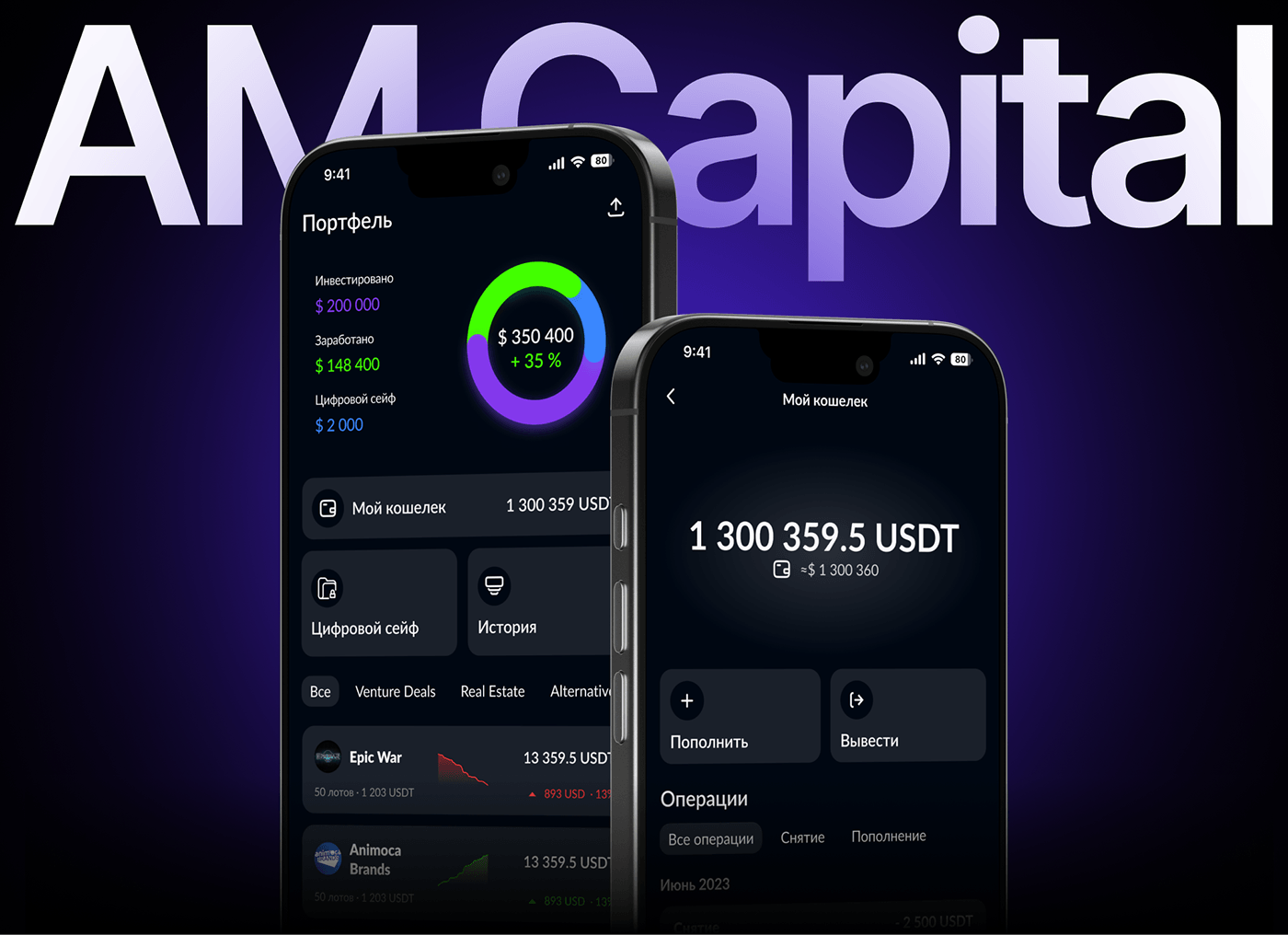
A mobile application for an international investment analysis company that specialises in portfolio consulting. It includes venture projects, real estate, and alternative investments within its own ecosystem.
MAIN GOAL
When creating the "Personal Portfolio", it was essential to design the user journey so that they could quickly and easily find the information they needed and perform key actions.
To achieve this, I systematically developed a user scenario strategy that took into account:
• Business goals (to increase engagement, simplify the investment process).
• User expectations (quick understanding of where their money is and how to manage it).
• UX patterns (best practices for handling finances in mobile applications).
TASK
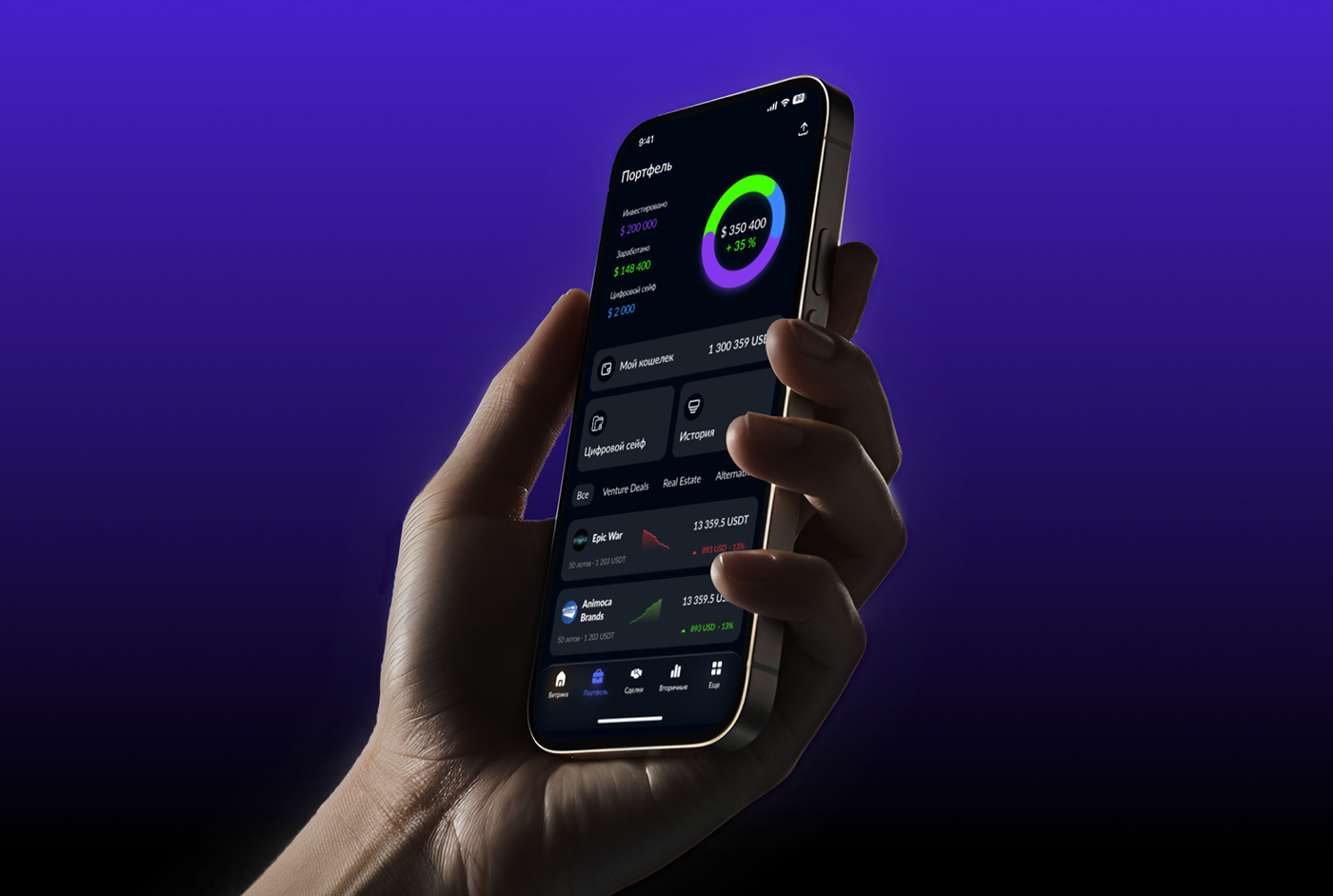
Gather key portfolio data on a single screen:
• Develop a pie chart that displays three main indicators:
• Invested – total amount invested.
• Earned – user income.
• Digital vault – reserve funds.
• Display numerical values below the chart for quick comprehension.
Implement quick access to key features:
• My Wallet: balance top-up, withdrawals, and financial management.
• Digital Safe: a section for managing reserve assets.
• Transaction History: view all transactions, including top-ups, withdrawals, and investment deals.
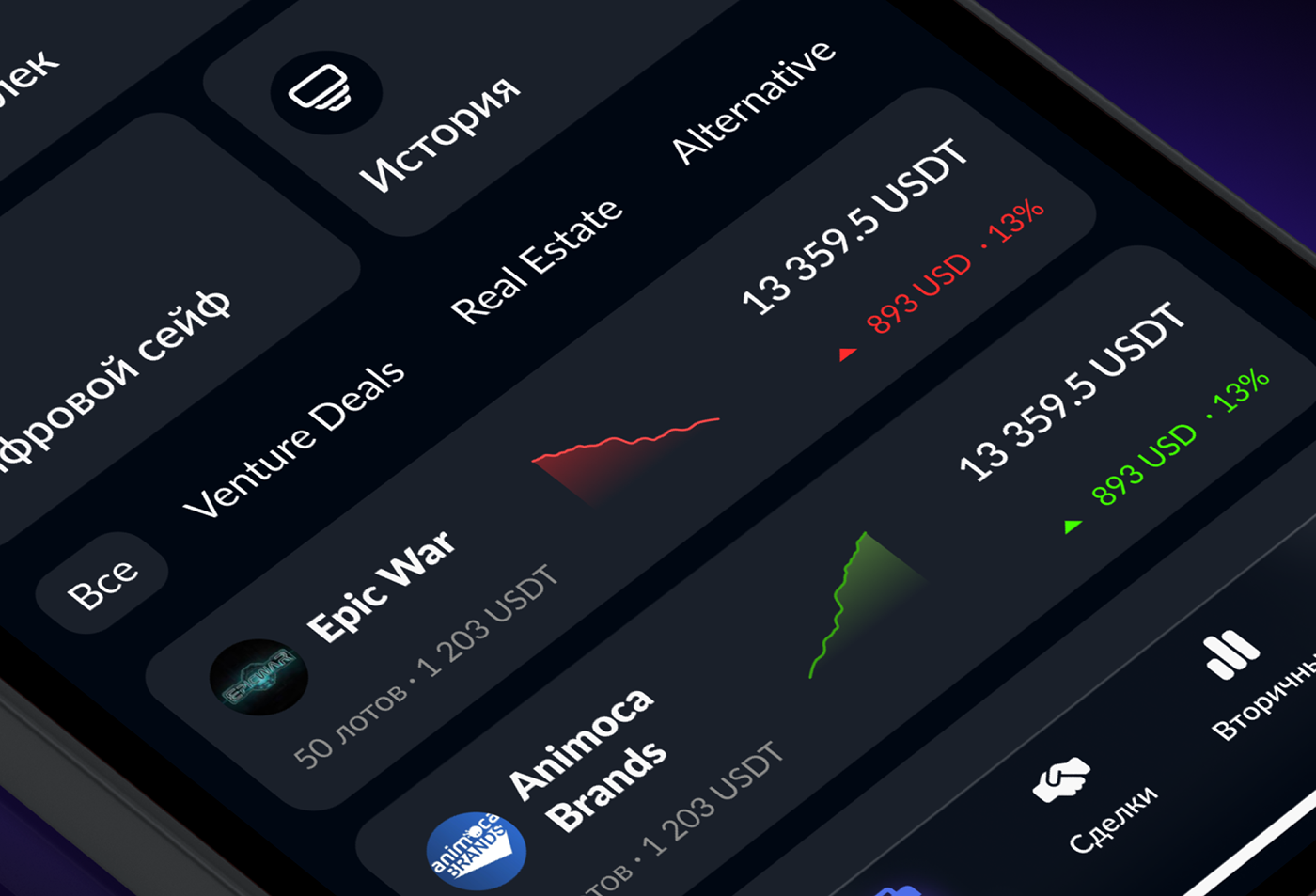
Add a deal feed for analysis:
• The feed displays deals as cards, each containing: deal name, investment amount, active chart, income, and status.
• Integrate filters so that users can switch between deal categories: "All Deals", "Venture Deals", "Real Estate", "Alternative".
RESULT
Thanks to UX/UI development, testing, and data analysis, the "Personal Portfolio" has become clean and user-friendly. The business retains users, and they find it easier to navigate their investment portfolio.
This has significantly impacted the metrics:
• Average time to understand the screen – 3-5 seconds.
• Users are now finding the information they need 40% faster on average than in previous versions.
• A 25% reduction in drop-offs and support requests – people are less likely to close the app because they immediately understand what is happening with their money.

MY WALLET
Create a functional, secure, and user-friendly wallet in the mobile application that allows users to manage their finances:
• Quickly top up the balance using various methods (cards, bank transfers, USDT transfers).
• Convenient and straightforward withdrawal of funds, with options for standard and quick withdrawals.
• Easily track transaction history for effective financial management.
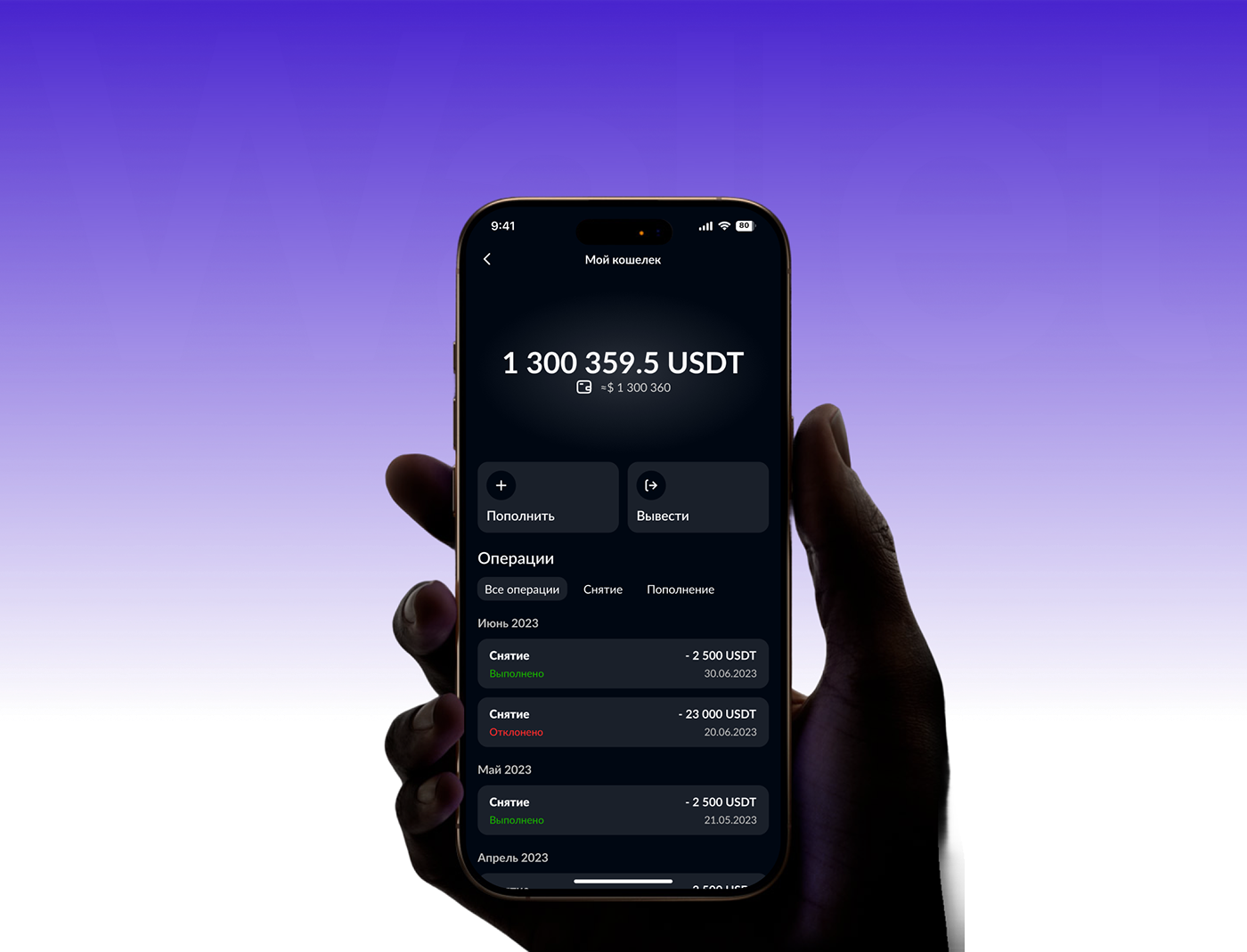
TASK
Create an intuitive interface where:
• The central focus is the display of the user's balance, highlighting the current amount.
• There are two main action buttons: "Top Up" and "Withdraw".
• A section is provided with a brief overview of recent transactions (type, amount, status).
• Add the ability to navigate to the detailed transaction history.
RESULT
As a result, "My Wallet" has become not just a feature, but a key tool for managing investments within the app. It has helped the business increase the turnover of funds across the entire product.
The implementation of this flow has positively impacted the metrics:
• A 27% increase in engagement and transaction activity – the user-friendly interface encourages more frequent balance top-ups.
• A 40% reduction in support load – the transparency of payment statuses reduces inquiries.
• A 30% increase in trust and user retention – secure transactions keep users on the platform.


Want to order development - design, contact me below
on active links in a convenient way for you.
Contact me to discuss your project: